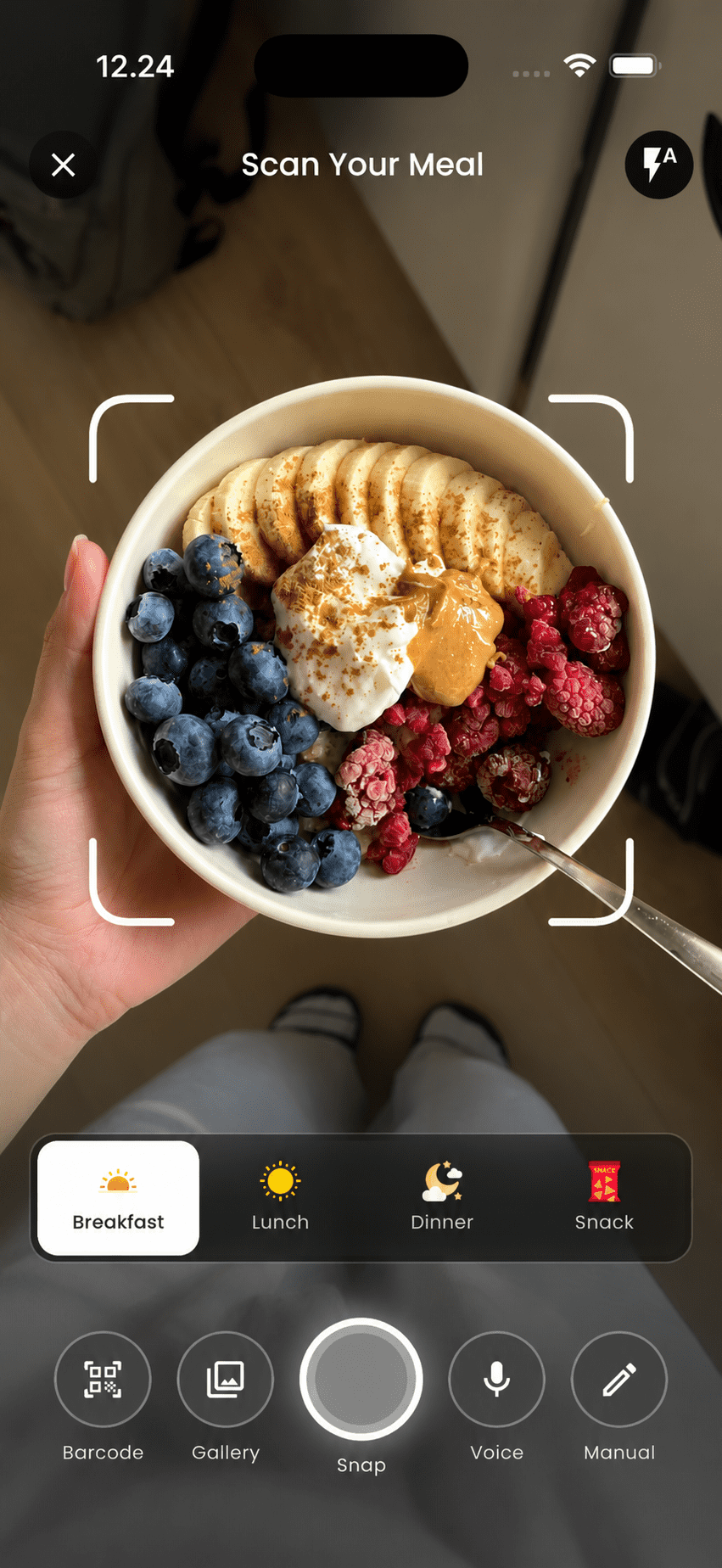
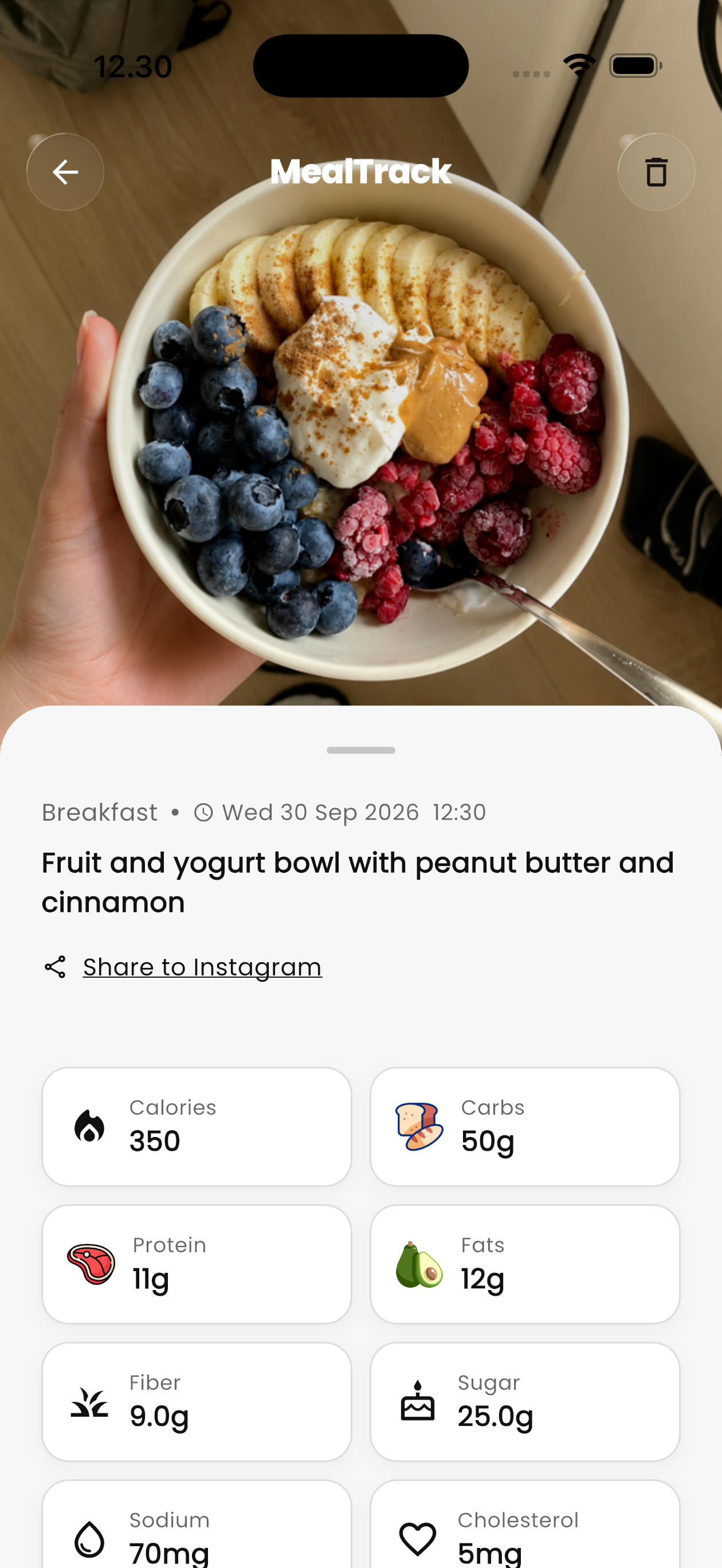
To count calories from a photo, open an AI calorie tracker like MealTrack, take one well-lit photo of the whole plate from above, before you eat, and let the AI identify each food and estimate the portion. Then check the result: fix any food it misnamed, adjust portions that look off, and add what the camera can't see, like cooking oil, butter, dressing and drinks. The estimate is the starting point; a two-tap review is what makes it accurate.
How photo calorie counting works
In a couple of seconds the AI does three jobs: it recognizes each food on the plate, estimates the portion from how much space it takes up next to the plate and other items, and calculates nutrition for that amount: calories, protein, carbs and fat for the whole meal.
So accuracy depends on two things you control: whether each food is visible, and whether its size is readable from the picture. A clear photo does most of the work. A quick review does the rest.
Step-by-step: log a meal from a photo
- Open the camera before you eatIn MealTrack, tap the camera. Photograph the meal as it's served, before the first bite, so the full portion is in frame.
- Shoot from above, whole plate in viewHold your phone over the plate, straight down or at about 45°. Keep the entire plate, sides and drink in the shot.
- Review what the AI foundCheck the food names and portions. Tap any item to rename it or change the amount, say 1 cup of rice instead of 1½.
- Add the hidden extrasAdd what the camera can't see: oil or butter used in cooking, dressing, sugar in coffee. Edit the meal, or log a quick extra entry by voice.
- Done: your day updatesThe meal is saved with calories, protein, carbs and fat, and what's left of your daily budget updates instantly.
7 photo tips for more accurate estimates
- Use good light. Daylight or a bright room. Avoid heavy shadows and colored restaurant lighting when you can.
- Show the whole plate. Cropped edges hide food and remove the plate as a size reference.
- Spread items out. Separate foods are easier to recognize than one big pile.
- Keep a size reference in frame. A fork, a can or your hand helps the portion estimate.
- Photograph before eating. Half-eaten plates turn portions into guesswork.
- Photograph your plate, not the serving dish. For shared food, snap what you actually took.
- Rename mixed dishes if needed. Curries, stews and smoothies look alike. A quick rename ("chicken tikka masala") fixes most errors.
How accurate are photo calorie counts?
AI photo estimates are good at identifying foods and ballpark portions, and less reliable when food is hidden, mixed or eaten straight from a container. Treat each estimate like a nutrition label: close enough to guide decisions, and better when you check the portion.
What matters for weight loss is consistency. Log every meal the same way and your weekly weight trend shows whether your numbers are working. If weight hasn't moved after 2–3 weeks, lower your target by 100–200 kcal instead of chasing perfect estimates.
When to use something other than the camera:
- Packaged food: scan the barcode. The label is more precise than any photo.
- Smoothies, soups and shakes: log the ingredients by voice or type them in.
- Snacking from a bag or box: log the package or the portion directly.
Save this guide
The whole guide as a PDF, to read offline or print. It ends with this one-page cheat sheet: every key number on one page, for the fridge or your phone.
 MealTrackCheat sheet
6 habits for more accurate AI calorie counts
- 1Shoot before you eatFull portion in frame, first bite untouched.
- 2Whole plate in viewEdges, sides and drink included. The plate is your size reference.
- 3Good lightDaylight or a bright room. No heavy shadows.
- 4Check the portionsTap any item to fix its name or amount.
- 5Add the hidden extrasCooking oil, butter, dressing, sugar and drinks.
- 6Barcode for packagesA label beats a photo for packaged food.
 Scan to get the app
Frequently asked questions
Can AI really count calories from a picture?
Yes. AI calorie trackers recognize the foods in a photo, estimate portion sizes and calculate calories and macros. Results are estimates, so reviewing portions and adding hidden ingredients like oil makes them more accurate.
What's the best angle to photograph food for calorie counting?
Straight down or at about 45°, with the whole plate visible and good light. Include a fork or another everyday object for scale.
Do I need to weigh my food if I log by photo?
No. Weighing is the most precise method, but most people don't keep it up. Photo logging plus a quick portion check is accurate enough to guide weight loss, especially when you adjust your target based on your weekly weight trend.
Does photo logging work for homemade meals?
Yes. Photograph the plate as served, then add the cooking oil, butter or sauces you used. For mixed dishes, rename the dish if the AI picks something similar.
This guide is general information, not medical advice. Calorie and nutrient figures are typical values and estimates. Talk to a doctor or registered dietitian before making big changes to your diet, especially if you are pregnant, under 18, or managing a medical condition.